
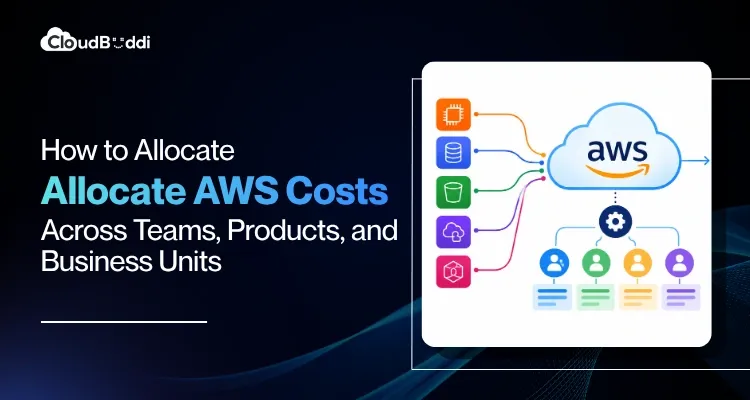
AWS gives organizations the flexibility to scale infrastructure quickly, but that flexibility can make cloud spending harder to trace. As environments expand across teams, products, accounts, and shared services, a single AWS bill can obscure who is driving costs and where the budget is going.
The challenge is widespread. According to Flexera’s 2026 State of the Cloud Report, 85% of organizations consider managing cloud costs a top challenge, while an estimated 29% of IaaS and PaaS spending is wasted.
Reducing expenditure starts with understanding where it originates, which workloads drive it, and who owns the underlying costs. AWS cost allocation connects cloud consumption to teams, products, and business units through consistent tagging, account structures, and allocation rules.
What Is AWS Cost Allocation?
AWS cost allocation is the process of assigning cloud expenses to the teams, products, applications, or business units responsible for generating them. Instead of treating the AWS bill as one consolidated expense, organizations break it down into categories that reflect how their cloud environment operates.
For example, an engineering team may own the compute resources behind a product, while a central platform team manages networking, security, and monitoring services used across the organization. Allocation helps distinguish direct expenses from shared infrastructure costs.
A well-designed model combines AWS cost allocation tags, account structures, cost categories, and usage data to establish ownership. Effective cloud cost allocation gives Finance better budget visibility, helps engineering teams understand workload costs, and enables business leaders to evaluate product economics.
Why AWS Cost Allocation Gets Difficult at Scale
AWS cost allocation becomes more complicated as environments expand. Multiple AWS accounts, changing workloads, and centralized services introduce layers of spending that do not always map neatly to a single owner.
A production workload may depend on networking, security, logging, databases, and observability services managed by another team. Savings Plans and Reserved Instances can add further complexity because effective costs may differ from the underlying resource usage.
Common challenges include:
- Multiple AWS accounts: Different teams and business units operate separate accounts with overlapping workloads.
- Shared infrastructure: Networking, security, monitoring, and platform services support multiple products.
- Inconsistent tagging: Missing or incorrect tags make resource ownership difficult to establish.
- Changing workloads: New products, teams, and environments can make existing allocation rules outdated.
- Committed-use discounts: Savings Plans and Reserved Instances complicate cost attribution across workloads.
Choosing the Right AWS Cost Allocation Model
The right model should reflect how your organization manages teams, products, and budgets. Smaller organizations may need team-level visibility, while enterprises often require a hierarchy connecting business units to individual products and workloads.
AWS cost allocation by team
AWS cost allocation by team assigns cloud spending to the engineering or functional teams responsible for specific workloads. Tags such as Team, Owner, Cost Center, and Environment help establish clear ownership.
This approach makes it easier to compare spending across teams, investigate unexpected increases, and establish accountability for resource consumption.
AWS cost allocation by product
AWS cost allocation by product connects infrastructure spending to individual applications, platforms, or services. It is particularly useful when multiple teams contribute to one product or a single team manages several products.
For example, an e-commerce company could track costs separately for its checkout, payments, and customer analytics platforms. Product leaders can then compare infrastructure spending against metrics such as transactions, active users, or revenue.
AWS cost by business unit
Tracking AWS cost by business unit gives enterprise leaders a consolidated view of expenditure across divisions such as Retail, Financial Services, Healthcare, or Internal Operations.
A practical allocation hierarchy might look like this:
Business Unit → Product → Team → Environment → AWS Resource
This structure supports budgeting, forecasting, and reporting while allowing teams to investigate the workloads driving costs.
Take Control of Your AWS Cloud Spending
Get clearer cost visibility, identify optimization opportunities, and make informed decisions with CloudBuddi.
Explore CloudBuddi →Using AWS allocation tags for Better Visibility
Tags attach business context to AWS resources, helping organizations group and analyze spending by ownership, product, environment, or cost center. AWS cost allocation tags make resource-level cost analysis more meaningful by connecting infrastructure to business operations.
A standardized tagging framework might include:
| Tag | Example |
| Team | Payments |
| Product | Checkout |
| BusinessUnit | Commerce |
| Environment | Production |
| CostCenter | CC-104 |
| Owner | Platform Engineering |
Consistency matters more than the number of tags. Variations such as Product: Checkout and Product: checkout can fragment reporting. Define approved tag names and values, assign ownership for maintaining them, and enforce mandatory tags where practical.
Tags should complement AWS account structures and cost categories rather than serve as the entire allocation strategy. Resource tags alone cannot accurately attribute every expense, particularly centralized services and shared AWS costs. Regularly review untagged resources to maintain reporting accuracy as workloads evolve.
How to Allocate Shared AWS Costs
Not every AWS resource belongs to a single team or product. Networking, security, logging, monitoring, data platforms, and CI/CD infrastructure often support several workloads. These shared AWS costs require transparent allocation rules to avoid distorting individual team and product budgets.
Common Shared Cost Allocation Methods
- Equal allocation: Divide costs evenly among participating teams or products. This works when consumption is relatively similar.
- Usage-based allocation: Distribute expenses according to measurable consumption, such as storage, compute hours, API requests, or network traffic.
- Headcount-based allocation: Assign costs according to the number of employees or users supported by each business unit.
- Percentage-based allocation: Apply predetermined percentages when detailed usage data is unavailable.
- Hybrid allocation: Combine methods for different services. For example, networking costs could be allocated by traffic, while security platform costs are distributed according to the number of protected workloads.
A Practical AWS Cost Allocation Workflow
A structured implementation process helps organizations establish reliable cost ownership without creating unnecessary administrative overhead.
1. Define Your Cost Hierarchy
Determine how spending should be grouped across business units, products, teams, environments, and resources.
Business Unit → Product → Team → Environment → Resource
This hierarchy creates a consistent foundation for reporting and ownership.
2. Establish a Tagging Standard
Define mandatory tags for Team, Product, Business Unit, Cost Center, Environment, and Owner. Keep naming conventions consistent across AWS accounts and workloads.
3. Map Accounts and Resources
Connect AWS accounts and resources to their respective owners. Separate production, development, and shared infrastructure where practical.
4. Separate Direct and Shared Costs
Assign directly attributable expenses to their owners. Establish separate allocation rules for services that support multiple teams or products.
5. Apply Allocation Rules
Choose appropriate methods for each cost category. Use measurable consumption wherever reliable usage data is available.
6. Review and Refine
Identify untagged resources, incorrect ownership, and outdated rules. Revisit the model whenever teams, products, or workloads change.
7. Turn Allocation Into Regular Reporting
Include allocated costs in financial and engineering reviews. Comparing spending with workload usage and performance helps teams identify cost inefficiencies and make better resource decisions.
AWS cost allocation becomes valuable when every major expense has a clear owner and business purpose. Connecting cost changes to specific teams, products, and workloads helps organizations move beyond tracking expenditure to making informed optimization decisions.
Common AWS Cost Allocation Mistakes to Avoid
Even a well-designed model can produce unreliable results when governance is inconsistent. Avoid these common mistakes:
- Relying entirely on tags: Combine tagging with account structures, usage data, cost categories, and allocation rules.
- Using inconsistent values: Standardize tag names and approved values to prevent fragmented reports.
- Ignoring shared infrastructure: Establish clear rules for allocating centralized services.
- Pursuing perfect attribution: Prioritize meaningful visibility over costly efforts to allocate every minor expense precisely.
- Treating allocation as a Finance-only task: Involve Engineering, DevOps, Product, and Finance in defining ownership.
- Using outdated rules: Review allocation logic as workloads and organizational structures evolve.
- Managing everything manually: Automate recurring reports and checks wherever practical.
- Stopping at cost visibility: Use cost insights to identify waste and prioritize optimization opportunities.
⚠️ Common Pitfall
Inconsistent tagging and poorly defined allocation rules can distort cost reports and leave shared AWS costs unaccounted for. Standardized tagging, transparent allocation methods, and regular ownership reviews help maintain reliable cost visibility as your AWS environment grows.
How CloudBuddi Simplifies AWS Cost Allocation
CloudBuddi helps organizations connect AWS cost visibility with resource optimization and reporting. Its capabilities support a more structured approach to understanding cloud expenditure.
- Centralized Cost Visibility: Track AWS spending across accounts, workloads, teams, and products.
- Team-Level Cost Attribution: Establish clearer ownership of expenses across teams and cost centers.
- Product-Level Cost Tracking: Understand infrastructure costs associated with individual applications and services.
- Business Unit Reporting: Organize spending to support budgeting and financial reviews.
- Shared Cost Management: Apply consistent allocation rules to infrastructure used across multiple workloads.
- Resource-Level Insights: Identify the services and resources contributing to expenditure.
- Cost Anomaly Detection: Identify unusual spending changes that require investigation.
- Optimization Opportunities: Surface idle, underutilized, and inefficient resources.
- Cost Governance: Improve consistency across cost structures and reporting practices.
- Actionable Reporting: Give Finance, Engineering, and business leaders the insights they need to make informed decisions.
Conclusion
Effective AWS cost allocation connects cloud spending to the teams, products, and business units responsible for it. Consistent tagging, clear ownership, and transparent rules for shared expenses help organizations improve accountability and identify optimization opportunities.
As cloud environments grow, CloudBuddi helps simplify cost visibility, resource optimization, and reporting. The goal is to turn AWS spending data into actionable insights that support better decisions and keep cloud costs aligned with business priorities.
FAQs
What Is AWS Cost Allocation?
Ans. AWS cost allocation assigns cloud expenses to the teams, products, workloads, or business units responsible for generating them. It improves cost visibility and accountability.
What Are AWS Cost Allocation Tags?
Ans. AWS cost allocation tags are metadata labels applied to AWS resources to categorize and track associated expenses. Common examples include Team, Product, BusinessUnit, Environment, and CostCenter.
What Is Cloud Cost Allocation?
Ans. Cloud cost allocation distributes cloud infrastructure expenses across the teams, products, departments, or business units consuming those resources. It supports budgeting, reporting, and optimization.
How Does AWS Cost Allocation by Team Work?
Ans. AWS cost allocation by team uses tags, account structures, and ownership rules to assign expenses to the teams responsible for specific workloads.
How Does AWS Cost Allocation by Product Work?
Ans. AWS cost allocation by product associates infrastructure expenses with individual applications, platforms, or services, helping organizations understand their respective cloud costs.
How Should Shared AWS Costs Be Allocated?
Ans. Shared AWS costs can be distributed using equal, usage-based, headcount-based, percentage-based, or hybrid methods. The appropriate approach depends on consumption patterns and available data.